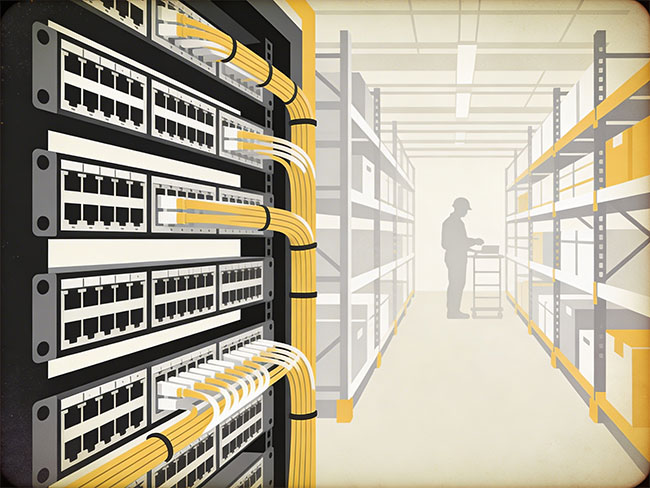

A dense office floor often includes laptops, docks, VoIP phones, dual monitors, printers, badge readers, wireless access points and shared devices. When the cabling plan is weak, those environments quickly become difficult to support. Ports run short. Patch panels fill up too fast. Labels stop making sense. Desk moves take longer than they should. Small mistakes at installation stage show up later as downtime, tracing delays and messy closet conditions.
The best results come from a structured approach. Plan the workstation layout, pathways, telecom room capacity, patching strategy and test documentation as one system. In practice, that means aligning structured cabling, network cabling and data cabling around how the floor will actually operate after move-in.
Why high-density workstations need a different cabling plan
A standard office with light device use leaves more room for error. A high-density floor does not. Dense workstation areas use more outlets per desk cluster, consume switch ports faster and place more pressure on pathways, patch panels and IDF space.
This is where structured cabling discipline matters. Horizontal copper links still need to stay inside standard channel limits. In commercial structured cabling, the common model is 90 metres of horizontal cable and 100 metres total channel length once patch cords are included. That distance limit shapes floor planning, telecom room location and furniture layout from the start.
Each workstation zone needs enough outlets for real device usage, not an idealized one-user one-port assumption.
Clear routing keeps bundles manageable, protects cable condition and makes later tracing faster.
Dense floors change quickly, so spare capacity matters in outlets, pathways, patch panels and switch ports.
Repeatable labeling and clean closet organization shorten the time needed to isolate faults and complete MAC work.
How to plan port count the right way
One of the most common mistakes in dense workstation design is underestimating device count. Many teams still think in terms of one user and one port. Real office use no longer works that way.
A better method is to plan by workstation function, not by headcount alone.
| Workstation type | Recommended drops | Common devices covered | Cable spec |
|---|---|---|---|
| Single assigned desk | 2–4 data outlets | Dock, VoIP phone, PC, spare | Cat6A |
| Executive / specialist desk | 4+ outlets | Peripherals, AV accessories, printers, security devices | Cat6A |
| Benching / pod layout | Plan per seat + per cluster | Printers, room schedulers, APs, collaboration tools | Cat6A |
| Hoteling / flexible seating | Extra spare capacity | High change rate — more moves, more adds | Cat6A |
| Conference room | 4–8 outlets | Display, codec, AP, floor box, room scheduler | Cat6A |
| Wireless access point | 1 dedicated drop per AP | PoE++ enterprise AP — must be Cat6A | Cat6A required |
If a project team installs the bare minimum port count, the office drifts toward desk switches, loose patching and unplanned adds within the first year. Those workarounds weaken both supportability and appearance — and fixing them in a finished, occupied office costs significantly more than planning the right drop count at installation.
Use the right topology and design around the telecom room
High-density workstation wiring should follow a clean star topology back to the telecom room. Each outlet should trace cleanly to a defined patch panel position. Avoid field improvisation, undocumented rerouting and inline joins that make day-two support harder.
A floor layout may look efficient on paper and still fail in practice if the IDF or MDF is too small, too full or poorly organized. Before finalizing the drop plan, review patch panel count, switch port count, rack unit space, cable management, power, UPS capacity, cooling conditions and backbone uplink capacity. In a dense deployment, the workstation area and the telecom room are one design problem.
- Patch panel count and grouping logic
- Switch port availability and growth margin
- Rack unit space and vertical cable management
- Power, UPS and cooling support for the closet
- Backbone capacity between MDF and IDF rooms
Build pathways for growth and account for PoE bundle heat
Cable pathway planning is one of the most important parts of a dense workstation project. Poor pathway design leads to tight bundles, crushed cable, ugly service loops and difficult tracing later. Good pathway design includes basket tray, ladder tray, conduit or furniture-feed routes that protect the cable and leave room for future pulls.
Large, tight bundles also create heat concerns in PoE-heavy environments. Cables in the center of a bundle retain more heat, and smaller bundles dissipate heat better than congested runs. That matters in dense offices where many drops may feed phones, access points, room schedulers, cameras or other powered devices.
TIA-568 and ISO/IEC 11801 both recognize that PoE bundles generate heat that can reduce the performance margin of installed cable. In dense PoE deployments, smaller bundles with better airflow outperform single oversized bundles — even if installing them takes slightly more pathway space. Cat6A, with its larger diameter and better thermal performance, is the right choice wherever significant PoE density is expected.
Where projects also depend on low-voltage cabling for powered devices, pathway planning should keep those runs organized and serviceable instead of mixing everything into one overfilled route.
"The pathway design determines how well the installation ages. A tight bundle that looks clean on day one can create real problems by year three — especially in a PoE-heavy office floor where heat has nowhere to go."
Cablify Infrastructure TeamChoose cable category carefully and label everything
The right cable type depends on expected application life, switching plans and PoE density. For many office buildouts, Cat6 supports a large share of present-day workstation needs. Cat6A is often the better long-term choice when the project has a longer building life, heavier PoE use, stronger 10 Gigabit planning or higher thermal density.
| Consideration | Cat6 | Cat6A |
|---|---|---|
| Max speed (to 100m) | 1 Gbps | 10 Gbps |
| PoE support | PoE+ (30W) | PoE++ (90W) |
| Thermal performance | Moderate — less favorable in dense bundles | Better — larger gauge manages bundle heat |
| 10G at full 100m | No (limited to ~55m) | Yes — full 100m support |
| Best for | Light-density offices, shorter upgrades | New commercial buildouts, dense PoE floors |
Dense workstation environments also rise or fall on administration quality. A clean install with weak labeling will age badly. Durable labels at both ends, tied to matching records, make tracing, patching and moves faster years after handoff.
- Telecom room ID at every label
- Rack and patch panel position reference
- Outlet ID at the wall plate
- Floor or zone reference
- Matching as-built records linking panel to outlet
Share your floor plan, desk count and PoE requirements — we'll help scope the right drop count, cable category and IDF capacity.
Keep patching repeatable and plan for change
Patch panel presentation matters. So does jumper length discipline. Use the same outlet numbering logic, panel grouping, color policy, cable management hardware and documentation format across each telecom room. A neat patching field is not only about appearance — it reduces risk during service work and shortens the time needed to isolate faults.
High-density office floors also change faster than the original design team often expects. Departments expand, pods shift, printers move and collaboration spaces grow. That means the wiring plan should support change without major rework through spare ports, pathway headroom, clear outlet mapping and consistent outlet layouts across similar work areas.
In a well-run IDF room, every patch cord is the right length — 1-foot cords to adjacent ports, 3-foot cords to nearby switches, nothing longer than needed coiled behind the rack. The panel layout mirrors the floor zone plan so any technician can find any outlet without a floor plan in hand. That discipline at installation stage is what separates environments IT teams want to work in from ones they avoid until something breaks.
Test every link and hand over real documentation
Testing is not a finish-line formality. It proves the installed system matches the design intent. Installed copper links should be certified with the right test limits, the right test setup and saved results that can be handed over with the closeout package.
A proper turnover package for a high-density office includes:
- Fluke cable certification results — every run tested, pass/fail documented, traces saved
- As-built outlet schedules — complete port-to-location mapping for every jack installed
- Patch panel mapping — which panel port corresponds to which floor outlet
- Floor plan markups — annotated drawings showing outlet locations, zone boundaries and IDF positions
- Labeling legend — the naming convention explained so future support teams can decode it
- Backbone summary — fiber or copper runs between MDF and IDF rooms, tested and documented
Without that documentation, even a physically clean install loses value after handoff. The next technician who touches the environment — three weeks or three years later — starts from zero.
Common mistakes in high-density workstation wiring
Most problems in dense office cabling environments are entirely preventable at the planning stage. They show up months or years later as support headaches, not installation failures — which is why they're easy to miss until the cost of fixing them in an occupied space is much higher than preventing them would have been.
This misses docks, VoIP phones, printers, badge readers, APs and shared devices — all of which need their own ports. Dense offices routinely need 2–4 drops per position, not one.
The floor gets built out, but the rack doesn't have enough patch panel space, rack units, switch ports or cooling to support the termination count cleanly. The room becomes the bottleneck.
Tracing becomes slow and error-prone. Port mapping guesswork wastes time on every MAC move and service call. The longer the environment runs, the worse this gets.
Future cable adds become harder, cable condition suffers under physical stress and troubleshooting in congested trays takes longer than it should.
Heat rises in the center of large bundles and cable performance margins drop over time. Cat6A helps, but pathway design still needs to allow airflow for heavily loaded PoE runs.
Problems stay hidden until move-in or cutover. By then the ceiling is closed, the floor is occupied and fixing a failed run costs multiples of what testing would have cost at closeout.