Fiber optic cabling installation

Commercial Fiber Optic Cabling Installation for High-Speed Business Networks

Fiber optic cabling provides the high-capacity backbone that supports modern commercial networks. As businesses rely on faster data transfer, cloud services and distributed infrastructure, fiber optic networks allow buildings and facilities to handle larger amounts of traffic with greater reliability.

Cablify installs commercial fiber optic cabling systems for offices, warehouses, healthcare facilities, retail environments and data-driven businesses across the United States. Fiber infrastructure supports backbone connectivity between network rooms, server environments and large commercial spaces where traditional copper networks are no longer sufficient.

Commercial fiber optic cabling installationSingle mode and multimode fiberFiber backbone infrastructureNationwide commercial deployment
Commercial fiber optic cabling installation for high-capacity business networks
Commercial fiber optic cabling for backbone infrastructure, server rooms and multi-building business networks

Built for offices, warehouses, healthcare facilities and data-driven environments that need higher-capacity uplinks, longer-distance connectivity and scalable fiber backbone architecture.

Long-distance connectivity

Fiber supports longer transmission distances between network rooms, buildings and infrastructure zones than copper Ethernet cabling.

Higher bandwidth capacity

Backbone links can carry more traffic for cloud access, dense wireless environments and growing data demand.

Reduced interference

Fiber infrastructure is not affected by electrical interference in the same way as copper cabling in demanding environments.

Scalable business networks

Designed for facilities that expect more devices, more traffic and more dependence on high-capacity network transport over time.

What fiber includes

What fiber optic cabling includes in a commercial network deployment.

Fiber optic cabling systems carry data using pulses of light transmitted through glass fibers. These systems provide significantly higher bandwidth and longer transmission distances than copper Ethernet cabling. Fiber optic infrastructure is often used alongside structured cabling systems, network cabling and data cabling to create a complete commercial network architecture.

01

Fiber backbone links between network rooms

Backbone fiber commonly connects MDF and IDF environments so distributed switches and infrastructure zones can exchange data at higher speeds.

  • MDF to IDF backbone planning
  • Switch uplink support
  • Floor-to-floor connectivity
02

Building-to-building fiber connections

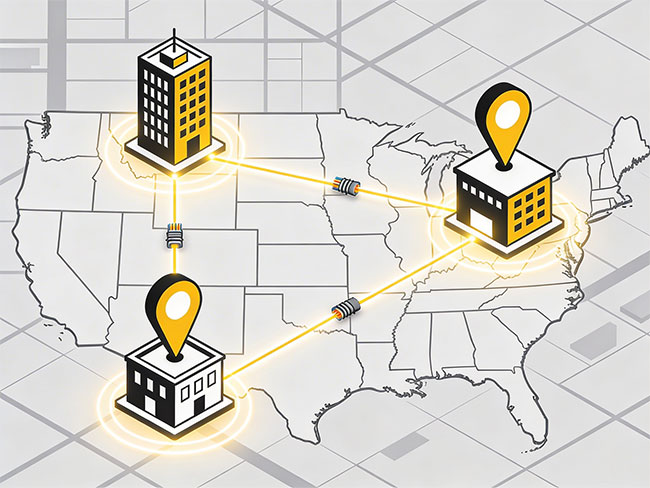
Commercial campuses, separate warehouse structures and multi-building facilities often rely on outdoor or inter-building fiber to maintain shared network access.

  • Campus connectivity
  • Separate building support
  • Longer-distance network links
03

Data center and server-room fiber infrastructure

Fiber installations support high-capacity links between network switches, servers and backbone distribution points inside technical environments.

  • Patch panel organization
  • Rack and enclosure planning
  • High-capacity server-room support
04

High-density network environments

Businesses with higher traffic volumes, cloud dependence or large numbers of connected systems often need fiber as part of the backbone network design.

  • Dense wireless networks
  • Large commercial buildings
  • High-throughput business applications
Fiber types

Types of fiber optic cabling used in business environments.

Commercial fiber networks are built around different cable types depending on distance, performance requirements and whether the infrastructure stays inside the building or extends across separate facilities.

Multimode fiber

Multimode fiber is commonly used inside buildings and commercial facilities. It supports high-speed connections between network rooms, switches and equipment over shorter distances, with standards such as OM3 and OM4 used in many environments.

Single mode fiber

Single mode fiber supports much longer transmission distances and higher-performance backbone infrastructure. It is often used for building-to-building links, larger campuses and longer commercial pathways.

Indoor fiber cabling

Indoor fiber installations connect equipment rooms, server rooms and network closets throughout offices, warehouses, healthcare facilities and commercial buildings.

Outdoor fiber cabling

Outdoor fiber links connect separate buildings, warehouse structures or campus environments where long-distance connectivity is required.

Network components

Components of a fiber optic network.

Fiber optic networks depend on several connected components working together inside racks, closets, server environments and backbone distribution areas.

When these components are planned properly, the finished fiber infrastructure is easier for IT teams to maintain and easier to scale as the business grows.

Fiber backbone routing and organized network infrastructure components for commercial facilities
Where fiber is used

Where fiber infrastructure is used in commercial facilities.

Fiber optic cabling is most useful where businesses need higher-capacity backbone links, longer pathways or more scalable infrastructure than copper-only architecture can provide.

OF

Corporate offices

Large offices use fiber backbone connections to link network rooms and support high-speed communication between floors, departments and technical spaces.

WH

Warehouse and logistics facilities

Distribution centers often rely on fiber links between server rooms, network closets and wireless infrastructure supporting operational systems, scanners and logistics platforms.

HC

Healthcare facilities

Hospitals and clinics depend on high-capacity fiber networks to support medical systems, imaging equipment and digital communications platforms that need reliable backbone connectivity.

RT

Retail environments

Retail chains and larger commercial stores use fiber infrastructure to support centralized systems, inventory platforms, security networks and multi-location technology standards.

DC

Data centers

Data centers rely heavily on fiber optic cabling to support high-density network connections between servers, switches and distribution infrastructure.

Backbone architecture

Fiber backbone architecture in commercial network design.

Fiber optic networks often serve as the backbone of a commercial network infrastructure. Backbone links connect the main network room to other network closets or infrastructure zones throughout the facility so the network can scale as the business adds more devices and systems.

Connections between MDF and IDF rooms

Fiber backbone links are commonly used to connect primary and secondary network rooms throughout larger buildings.

High-speed uplinks between switches

Fiber allows switching infrastructure to exchange larger amounts of traffic than many copper uplinks can support over distance.

Links between separate buildings

Commercial campuses and multi-building operations often need outdoor or extended fiber pathways between facilities.

High-capacity server environments

Fiber is often part of the core network architecture in technical rooms where data volumes, device counts and performance expectations are higher.

Installation process

How commercial fiber optic installations are typically delivered.

Commercial fiber optic installations follow a structured deployment process so the finished system performs reliably and can be maintained more easily after handoff.

Planning and pathway evaluation

Installers review building layout, cable routes, backbone requirements and infrastructure constraints before installation begins.

Cable installation

Fiber cables are routed through trays, conduits or structured pathways aligned to the facility design and the intended backbone architecture.

Fiber termination

Fibers are terminated using connectors or splicing techniques inside fiber enclosures or patch panels in the relevant network rooms.

Testing and certification

Fiber links are tested to verify signal performance and confirm the installation supports the expected network function.

Documentation and labeling

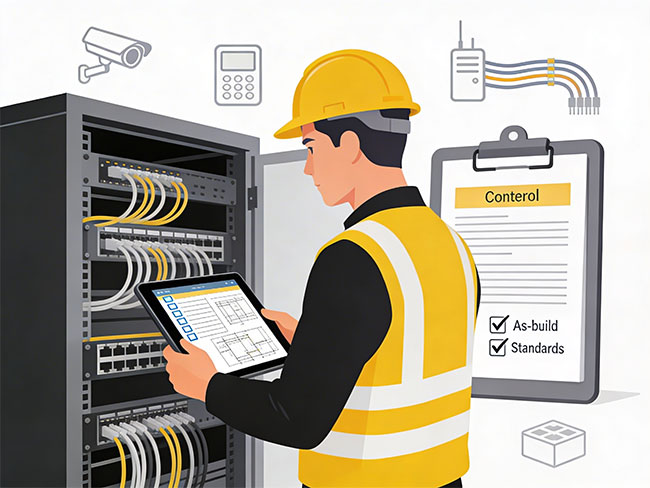
Completed installations include readable labeling and documentation so network teams can maintain the infrastructure with less guesswork.

Business value

Why businesses deploy fiber networks.

Fiber optic networks provide higher bandwidth capacity, longer transmission distances, reduced signal interference, improved reliability in high-demand environments and better scalability for future network upgrades. Many commercial networks combine copper Ethernet cabling with fiber backbone infrastructure to support both device connectivity and high-speed data transport.

FAQ

Frequently asked questions about fiber optic cabling.

These are some of the practical questions businesses ask when comparing commercial fiber optic contractors and planning backbone infrastructure.

What is commercial fiber optic cabling?

Commercial fiber optic cabling uses optical fibers to transmit data using light signals. It provides high bandwidth and long-distance connectivity for business networks.

What is the difference between single mode and multimode fiber?

Multimode fiber is typically used inside buildings for shorter distances, while single mode fiber supports longer distances and higher performance connections.

Why do businesses install fiber optic backbone networks?

Fiber backbone networks connect network rooms and infrastructure across facilities while supporting higher data capacity than copper cabling.

Can fiber optic cabling be used with existing network equipment?

Yes. Fiber transceivers allow switches and routers to communicate across fiber optic infrastructure.

Start a project

Request a commercial fiber optic cabling quote.

Share the facility type, building count, network-room layout and backbone needs so the project can move toward a practical fiber infrastructure review.

Next step

Need fiber backbone infrastructure for a business network?

Use the contact page to send the facility type, network-room scope, pathway questions and project timeline so the conversation can move toward a cleaner commercial fiber deployment plan.