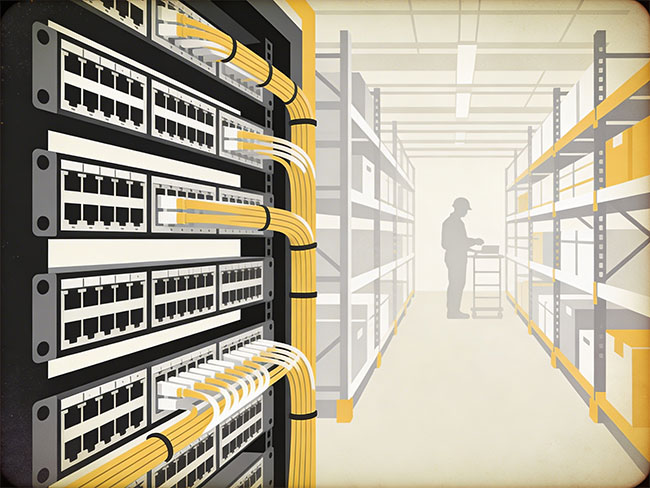
Access control systems installation

Commercial Access Control System Installation for Business Facilities

Access control systems help businesses control who can enter buildings, restricted areas and sensitive spaces. Instead of traditional keys, access control platforms use keycards, mobile credentials, biometric readers and secure entry management software to regulate building access.

Cablify installs commercial access control systems for offices, warehouses, healthcare facilities, retail environments and multi-site business operations across the United States. These systems improve security, simplify user management and support modern workplace access policies.

Commercial access control installationKeycard and badge entry systemsDoor controllers and secure readersNationwide commercial deployment
Commercial access control systems installation in a business facility
Commercial access control systems for offices, warehouses and secure business facilities

Built for keycard entry, mobile credentials, door controllers and coordinated low-voltage infrastructure across commercial environments that need cleaner security standards and repeatable multi-site access management.

Credential-based entry

Support card, mobile, biometric and PIN-based access workflows without relying on physical key distribution.

Centralized user control

Administrators can add, revoke and adjust access permissions quickly across one facility or multiple sites.

Integrated security visibility

Access events can align with cameras, alarms and visitor management platforms for cleaner incident review.

Scalable door management

Built for one secure entry point or larger controller architectures covering dozens of business doors.

What access control includes

What access control systems include in a commercial installation.

Access control systems manage entry permissions across buildings and restricted areas. The system determines who can enter specific spaces, when they can enter and how access events are recorded. These installations typically sit inside broader low-voltage infrastructure and can also rely on organized network cabling support for device communication.

01

Door access readers

Readers verify cards, mobile credentials, biometric data or PIN codes before the system grants or denies access.

  • RFID readers
  • Mobile credential readers
  • Biometric and keypad devices
02

Electronic locks and hardware

Electric strikes, magnetic locks and related hardware physically manage entry once a credential is approved.

  • Mag locks and strikes
  • Door hardware pathways
  • Secured entry-point coordination
03

Control panels and controllers

Controllers manage the rules, communications and decisions behind each protected door or entry point.

  • Controller architecture
  • Panel enclosure planning
  • Door grouping and zoning
04

Credential management software

Centralized platforms allow security and facilities teams to manage users, permissions, schedules and access logs.

  • User permission control
  • Credential issuance and revocation
  • Access event records
System types

Types of access control systems used in commercial facilities.

Different building types, security policies and user workflows call for different credential models. Modern business access control systems can be designed around physical cards, mobile credentials, biometric identity or keypad-based workflows depending on the environment.

Keycard and badge access

Keycard systems allow employees to unlock doors using RFID cards or badges. These are widely used in corporate offices, healthcare facilities and general commercial buildings.

Mobile access control

Mobile access systems let users unlock doors using smartphone credentials, reducing the need for physical cards and simplifying credential management.

Biometric access control

Biometric systems use fingerprints or facial recognition to verify identity. They are commonly used in higher-security or restricted operational spaces.

PIN-based access control

Some facilities use keypad entry systems where users enter secure codes to access restricted areas or lower-traffic controlled spaces.

System components

Components of a commercial access control system.

A full access control installation depends on several connected components working together across doors, controllers, software platforms and the supporting low-voltage infrastructure.

When these pieces are planned together, the system is easier to scale, easier to maintain and more useful for facilities and security teams over time.

Commercial access control infrastructure and nationwide structured cabling support
Industries

Industries that rely on access control systems.

Access control is used anywhere a business needs to protect entry points, restrict sensitive spaces and manage users more efficiently than physical keys allow.

OF

Corporate offices

Businesses use access control systems to manage employee entry, secure restricted workspaces and simplify badge-based building access.

HC

Healthcare facilities

Hospitals and clinics rely on access control to protect patient areas, medical records and controlled operational spaces.

WH

Warehouses and logistics facilities

Distribution centers use access control to manage entry points, protect inventory and regulate access to operational systems and back-of-house spaces.

RT

Retail businesses

Retail operators use access control to restrict staff-only areas, secure stockrooms and manage employee movement through protected doors.

DC

Data centers

Access control systems protect sensitive technical environments and ensure only authorized personnel can enter server or infrastructure spaces.

Planning

Planning an access control deployment.

Before installing an access control system, businesses should review the number of controlled doors, building layout, credential policies, integration requirements and the network or low-voltage infrastructure supporting the system.

Door count and building layout

The number of entry points, interior secure areas and remote doors directly affects controller architecture and installation scope.

Credential management policies

Businesses should decide how credentials are issued, revoked and managed before rollout begins.

Integration requirements

Planning should account for any connection to cameras, alarms, visitor management or building automation systems.

Network connectivity

Modern platforms often require dependable connectivity to synchronize devices, logs and multi-site access permissions.

Integration

Integration with other security systems.

Modern access control platforms often integrate with video surveillance systems, alarm systems, visitor management platforms and building automation tools. This allows businesses to create a unified security environment where entry events, footage and alerts can be reviewed together.

Business value

Why businesses install access control.

Access control improves security management, centralizes user permissions, gives better visibility into entry activity, speeds response to lost credentials and simplifies management across multiple locations. Instead of replacing locks or distributing new keys, administrators can update permissions through the system.

Related infrastructure

Related infrastructure services that support access control.

Access control systems depend on the same commercial infrastructure discipline as other connected building systems. They often operate alongside structured cabling, network cabling, CCTV and broader low-voltage deployment standards.

FAQ

Frequently asked questions about access control systems.

These are some of the practical questions businesses ask when comparing door access control installation and commercial access control systems for their facilities.

What is a commercial access control system?

A commercial access control system manages building entry using electronic credentials such as keycards, mobile devices or biometric authentication.

How many doors can an access control system support?

Modern systems can manage dozens or hundreds of doors depending on the controller architecture and software platform.

Do access control systems require network connectivity?

Most modern systems use network connectivity to manage credentials, synchronize devices and provide centralized monitoring.

Can access control integrate with security cameras?

Yes. Many systems integrate with video surveillance platforms to link entry events with recorded footage.

Start a project

Request a commercial access control quote.

Share the number of controlled doors, facility type, city and integration needs so the conversation can move toward a cleaner access control scope and commercial quote.

Next step

Need secure entry systems for a business facility?

Use the contact page to send the building type, controlled areas, timeline and integration needs so the project can move toward a practical commercial access control review.